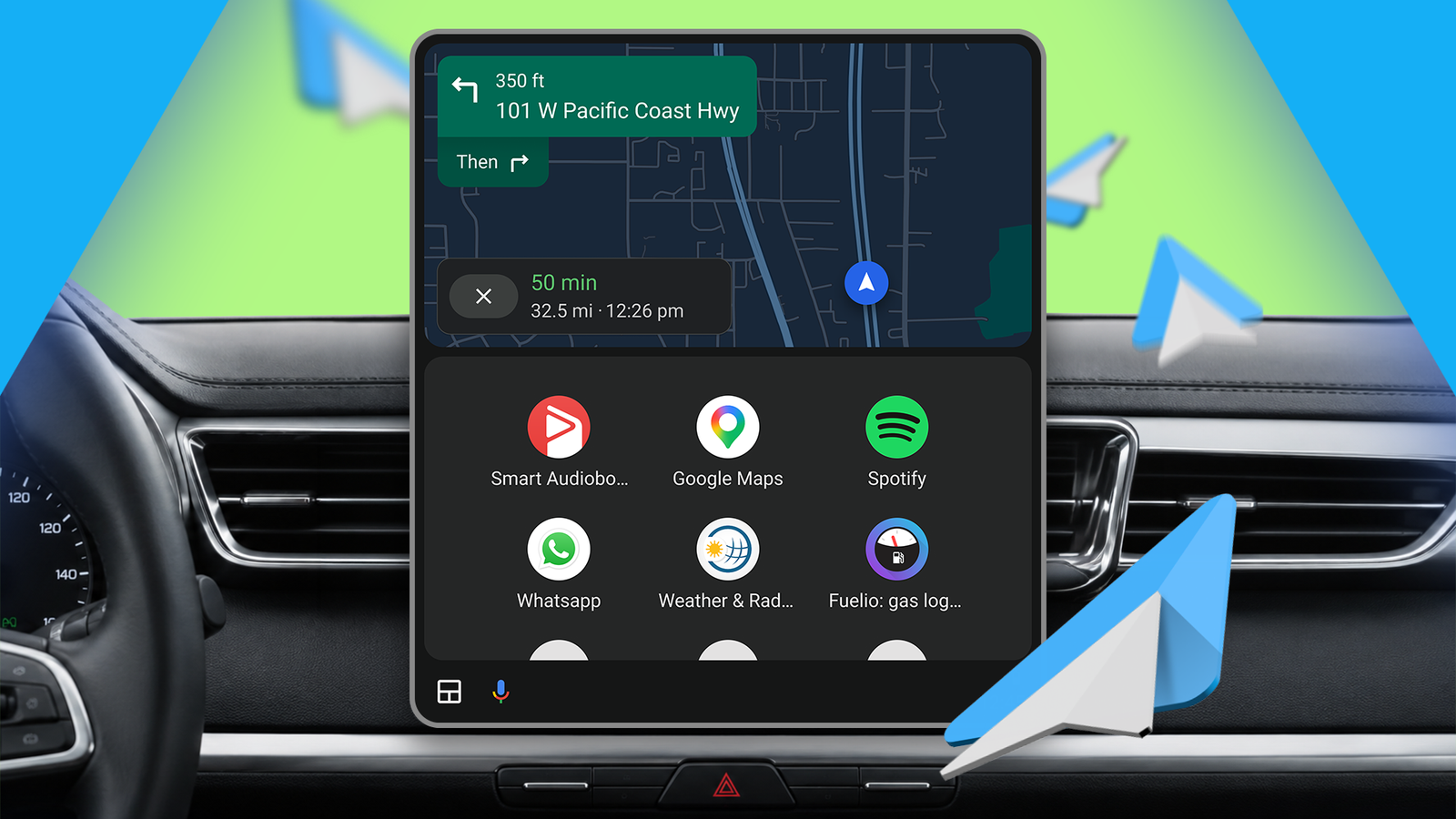
There are two stories playing out around Android Auto at the moment: one practical and immediate — why the system sometimes drops mid‑drive and how to stop it — and another that’s more future‑gaze: Google is quietly rolling a beta that hints at built‑in climate controls and, maybe, some bug fixes. Both matter, especially if you own a Pixel or one of the new Galaxy S26 phones and have found your car’s head unit turning into a blank, musicless slab while you drive.
Why Android Auto keeps dropping
Users and forum threads point to the same symptom — Android Auto will be working fine, then the car’s display goes black, media stops, and the phone behaves as if it’s only being charged. There’s a handshake that happens when your phone and head unit talk over USB; if that handshake gets interrupted or the phone reverts to charging-only mode mid‑connection, you get a disconnect.
The culprit isn’t always the cable or the car. Power management and the phone’s default USB mode can flip the connection from “data” to “charge only,” which breaks Android Auto without an obvious error message. That’s why owners of Pixels and Galaxy S26 models have been particularly vocal online — some updates and OEM quirks seem to make the timing of that switch worse. If you want the background on how Google and Samsung phones have been tripping with head units lately, see this explainer about the recent Android Auto problems for Galaxy S26 and Pixel owners where it's been traced and discussed.
A one‑minute setting that fixed it for many
If Android Auto disconnects for you, try this: change the phone’s default USB configuration so it always prefers a data mode instead of charging. It’s tucked in Developer Options, but the steps are straightforward:
- Open Settings → About phone → find Build number and tap it seven times to enable Developer Options.
- Go back to Settings and open Developer Options.
- Under Networking, tap Default USB Configuration and switch from No Data Transfer (or Charging) to File Transfer (or Android Auto if offered).
- Stick with a known-working Android Auto build if your setup is critical for daily drives. Updating immediately after every release can introduce fresh problems.
- Try a different USB cable and port only after you’ve ruled out default USB mode as the cause — many disconnect reports start with fingers pointing at flaky cables, but the mode flip is often the real issue.
- Keep your phone and head unit firmware up to date; sometimes manufacturers push fixes on either side of the connection.
That forces the phone to keep a data connection active when you plug into your car, preventing the mid‑drive flip to charge‑only that causes the black screen. If that doesn’t help, other quick things to try include clearing the Android Auto app cache (Settings → Apps → Android Auto → Storage → Clear Cache) or toggling Adaptive Battery off, both of which have been reported to help in some cases.
If you’re experimenting with USB modes for other uses, this setting is also why your Galaxy S26 can behave differently when you plug it into a PC or use it as a plug‑and‑play USB webcam — the phone’s USB default affects a lot more than Android Auto.
What Google’s beta shows — HVAC and a hope for fixes
Google has pushed Android Auto v16.7 to beta testers. There’s no flashy changelog for users yet, but APK teardowns and early activations reveal two things: code that could address long‑standing bugs, and a redesigned interface for climate (HVAC) controls inside Android Auto.
The emerging HVAC UI — referred to as “hero” in the code — moves controls from a cramped bottom rail to the left and right edges of wide head units. That design frees up central screen real estate and gives larger, more tappable buttons. It’s a sensible evolution for widescreens, though the early implementation favors left‑hand controls and might need tweaks for right‑hand‑drive markets.
Betas don’t guarantee a quick, wide rollout. Google hasn’t announced an official fix for the recent connectivity headaches even as it quietly rolls changes to testers. And historically, Android Auto has been brittle: users often find a particular app or firmware level that “just works” and then everything changes after an update. If you’re prone to rage‑updating, patience can pay off here.
Practical guardrails while the platform stabilizes
A few pragmatic notes based on what people are doing in the meantime:
The story here is familiar: a useful platform that’s grown in features but remains sensitive to software and USB quirks. The v16.7 beta gives hope — HVAC inside Android Auto would be a welcome convenience — but the real relief for many drivers will be small, practical fixes like locking your phone into a file‑transfer/data mode so the car and phone don’t lose their conversation mid‑drive.
If you’re troubleshooting, try the Developer Options USB change first. It’s a minute of fiddling that could spare you a bunch of roadside frustration.