Samsung is trying to make the Galaxy S26 Ultra feel less like a spec parade and more like a phone that quietly gets out of your way.
That may sound modest for a company launching an Ultra model, but the pitch is pretty clear: the S26 Ultra is built around small conveniences that add up during a real day. It surfaces information when you need it, helps clean up your writing, organizes notes, keeps heat in check, and adds a stronger privacy layer while you’re just trying to get on with life.
AI that behaves more like a helper than a gimmick
The most visible shift is Samsung’s expanded Galaxy AI package. Instead of burying useful features behind menus and leaving users to stumble across them later, the company is positioning tools like Now Brief, Writing Assist, Note Assist, Photo Assist, Transcript Assist, Call Screening and Notification Highlights as part of the phone’s everyday rhythm.
Now Brief is the best example of that philosophy. It pulls together schedule items, reservations, reminders and other scattered bits of information into a single digest, which is exactly the sort of thing that can spare you from opening half a dozen apps before breakfast. Samsung says it also learns your habits over time, so the summaries become more context-aware as you use the phone.
That broader direction lines up with Samsung’s recent software push across the Galaxy lineup, including the company’s Quick Share to iPhone compatibility efforts and the more automation-heavy ideas showing up in Notification Rules concepts on Android. The S26 Ultra feels like part of that same trend: fewer taps, fewer dead ends, less hunting around.
Writing Assist is built into the keyboard, so it follows you into texts, emails and quick replies. It can smooth tone, fix grammar and even translate messages. Handy? Absolutely. A little mundane? Also yes. But that’s the point. Samsung is clearly betting that the most useful AI is the kind you don’t need to think about very often.
Note Assist takes the same approach in Samsung Notes. Long, messy notes can be summarized, reformatted into headings and bullet points, and translated when needed. On the S Pen side, that matters quite a bit, because handwritten notes are suddenly less of a private archive and more of a searchable workspace.
A phone that tries to manage the noise
Notification overload has become one of the modern smartphone experience’s least charming habits. The S26 Ultra’s Notification Highlights feature tackles that by summarizing long chats and moving the alerts you’re most likely to care about toward the top of the pile. It takes a few days to learn your patterns, but once it does, the idea is to cut down on the endless scroll through junk.
Call Screening goes after a different kind of noise. Unknown callers are answered by an AI assistant that asks who’s calling and why, while you watch a live transcript unfold on screen. You can jump in, let it keep going, or ignore the call entirely. For spam-heavy markets, that’s not a novelty; it’s relief. It also puts Samsung in the same general conversation as other phones adding smarter call handling and safer defaults, like the Apple-style privacy and security tweaks some rivals are pushing.
Audio Eraser is another useful bit of polish. On the S26 Ultra, it can reduce background noise not only in videos you recorded, but also in supported third-party apps while you’re watching video content. That means voices, wind, crowd noise and other distractions can be toned down in real time. It’s the sort of feature people won’t brag about at dinner, but will absolutely use the second they’re on a train or watching a clip in a noisy room.
Faster editing, cleaner photos, fewer do-overs
Samsung has also given Photo Assist a serious overhaul. On the S26 Ultra, it is no longer just an object-removal tool hiding in the gallery. It now includes four separate options: AI Eraser, Move, Create and Style.
AI Eraser removes unwanted objects or people. Move lets you shift things around in a photo. Create uses voice or text prompts to rework scenes. Style applies more dramatic visual treatments, including comic, watercolor and 3D cartoon looks. Samsung also added edit history this year, which feels overdue; being able to walk changes back step by step is the kind of practical feature that turns AI editing from a demo into a tool.
For users who spend a lot of time editing or working from the phone, that matters. It also fits neatly with Samsung’s broader message that the S26 Ultra is meant for people who want to create, not just consume. A different kind of creative push is showing up elsewhere in the ecosystem too, from Samsung’s privacy-focused Ultra features to the company’s growing foldable ambitions.
Hardware that has to keep up
None of the software polish matters much if the phone slows down under pressure, so Samsung has leaned into cooling and battery stability as well. The S26 Ultra uses a larger vapor chamber to help keep temperatures under control during gaming, long calls, multitasking sessions and video work. In plain English: it’s meant to stay consistent instead of getting warm and giving up halfway through the day.
Battery life is supported by Adaptive Battery, which learns how you use the phone and tries to direct power where it counts. And when the meter gets low, Super Fast Charging 3.0 with up to 60W support is there for the quick rescue mission. That combination doesn’t reinvent mobile power, but it does make the S26 Ultra feel more dependable when your day runs long.
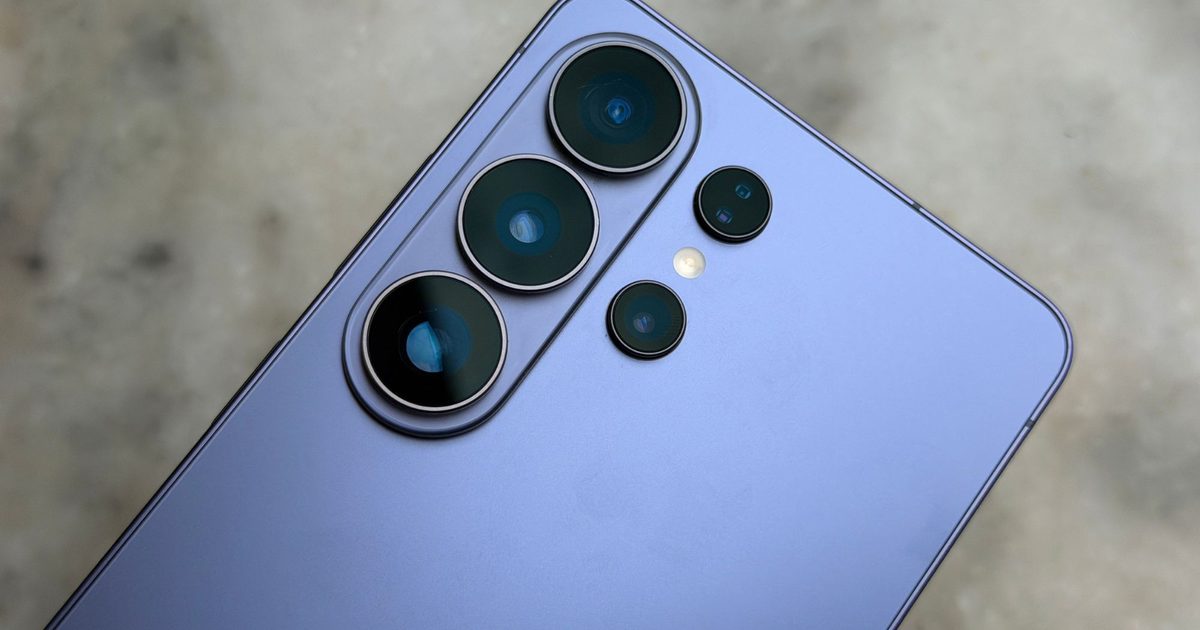
The design and connectivity story are equally restrained. According to Samsung’s published specs, the phone keeps the 5,000mAh battery, the 200MP main camera setup, S Pen support, QHD+ Dynamic AMOLED 2X display and 1TB storage option. It is, however, a little lighter and thinner than the previous model, and it gains Bluetooth 6.0 support. Those are not headline-grabbing changes, but they are the kind that matter once the phone is in your pocket instead of on a launch stage.
For readers comparing generations, the S26 Ultra is essentially a refinement rather than a reinvention, which is why it sits comfortably alongside stories like Samsung’s S26 versus S25 breakdown. The upgrades are real, but they’re focused.
Samsung is also making a more persuasive argument that high-end phones should feel less chaotic. The S26 Ultra’s value is not just in what it can do, but in how little friction it seems to create while doing it. That’s a subtler pitch than “more megapixels” or “faster chip,” but it may be the one that matters more once the novelty wears off.