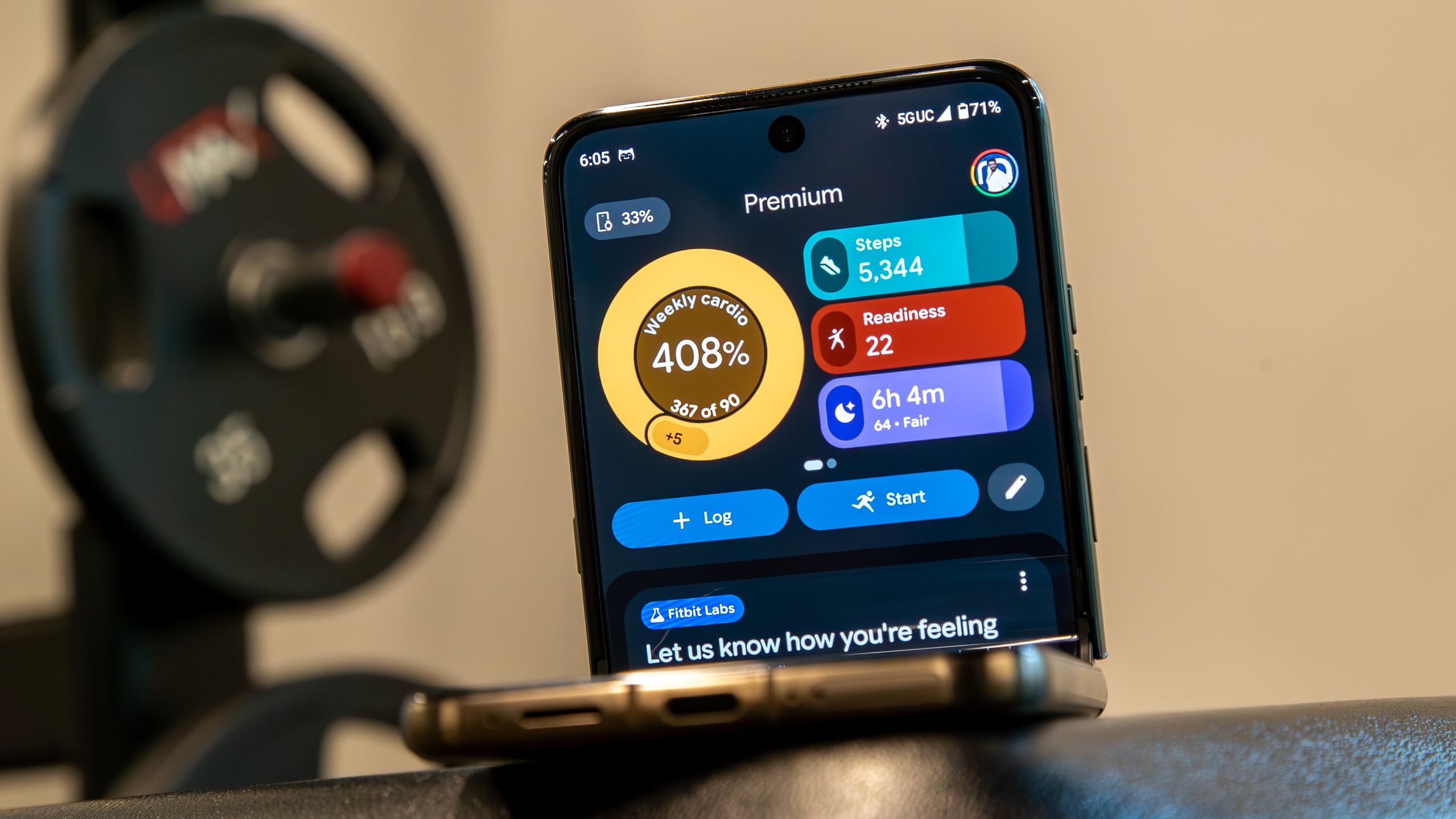
Google’s redesigned Health app just got a meaningful course correction.
Version 5.02 is rolling out now on iOS and Android, and it doesn’t read like a flashy feature drop so much as a long list of things users kept asking for after the app’s rough launch. Some of the biggest fixes are practical ones: hourly activity charts are back, naps are easier to find, sleep editing is less broken, and you can now delete synced exercise, food, and weight logs directly inside the app.
That last part matters more than it sounds. A lot of the frustration around the move from Fitbit to Google Health wasn’t just about missing features — it was about basic control. People wanted the app to feel less hidden, less rigid, and less like a redesign that took away shortcuts they’d relied on for years. This update doesn’t solve every complaint, but it does show Google is listening.
The return of a few Fitbit-era favorites
Hourly activity is back in both the Today and Health tabs, where it shows step-goal progress by hour. If you liked using that little nudge to keep moving during the workday, it’s here again. Google also says it has improved exercise-summary bugs, including cases where manually logged activities showed 0 steps or distance, plus odd distance reporting for automatically detected bike rides.
Sleep tracking gets one of the more useful cleanups in the release. The Restlessness bar now sits closer to the sleep stages graph, which makes it easier to compare restless periods with awake moments. Google says detection of small awake moments has improved as well.
For Android users, naps now get their own separate tabs in the daily Sleep Score view. That should make it easier to review daytime sleep without digging through the rest of your nightly data. Google says the feature will arrive on iOS in version 5.03.
The app also finally fully supports deleting sleep sessions, and it fixes an issue that prevented some users from editing them at all.
More flexibility on the Today and Health tabs
Google is giving users a little more breathing room in the app’s dashboards. On the Today tab, you can now expand your focus metrics view to show more data without swiping across multiple pages. You can also reorder those metrics more easily by tapping the pencil icon and replacing a metric rather than tearing down the whole layout and starting over.
Android users get an extra layer of control in the Health tab. Key Metrics can now be rearranged by drag and drop: tap Customize, long-press a chart, and move it where you want it. iPhone users will get that in a later release.
That kind of customization may sound minor, but it’s one of the clearest signs Google is trying to ease the app back toward the flexibility longtime Fitbit users expected. It also lines up with the more positive mood Google Health had started to regain after earlier fixes.
Food logging gets faster, and more useful
Nutrition is another area where the app got a welcome tune-up. Search results now load faster, and on Android they show serving units and calories directly in the results. Google says that support is coming to iOS in a future update.
The logging screen itself also gets smarter. Estimated macros now appear before you finish a food entry, so you can get a quick read on the meal without opening extra screens.
The Nutrition tile on the Today tab has been redesigned too. Instead of emphasizing net calories, it now shows calorie intake on top and calories remaining below. It’s a small shift, but it makes the panel easier to scan at a glance.
Deleting synced logs is finally simpler
One of the more quietly important changes in version 5.02 is the ability to remove individual logs imported from other services directly from Google Health.
That includes exercise sessions, food logs, and weight entries synced through direct integrations. If the data came in through Health Connect or Apple Health, Google will route you to the originating platform to finish the deletion for now, though it says that limitation will eventually go away.
This is the kind of cleanup that doesn’t make for a flashy demo, but it matters in day-to-day use. It also speaks to the bigger challenge Google faces: the app has to be not just feature-rich, but easier to trust and easier to manage.
The redesign of Google Health has already prompted plenty of debate, and Google’s rapid follow-up patches suggest it knows the launch wasn’t perfect. The company has been steadily adding back pieces users missed, while also smoothing out the rough edges that made the app feel unfinished. That broader effort has been part of Google’s recent push to stabilize the app after user backlash, and v5.02 is the clearest sign yet that the work is continuing.
Google says the update is rolling out in phases, so not everyone will see it at the same time. On iOS, it appears to be widely available already, while Android is still catching up. If you’ve been waiting for Google Health to feel a little less stripped down and a little more like a proper Fitbit successor, this is the update to grab first.