Apple is turning the iPhone Camera app into a much more ambitious piece of software in iOS 27 — and, in the process, making a few old assumptions about photography feel a little dated.
At WWDC 2026, Apple showed off a cluster of camera and photo-editing upgrades powered by Apple Intelligence. Some are practical. Some are plainly experimental. And one of them, Spatial Reframing, feels like the kind of feature that can make a photo look either impressively polished or mildly cursed, depending on how hard you push it.
A camera app that can see, explain, and assist
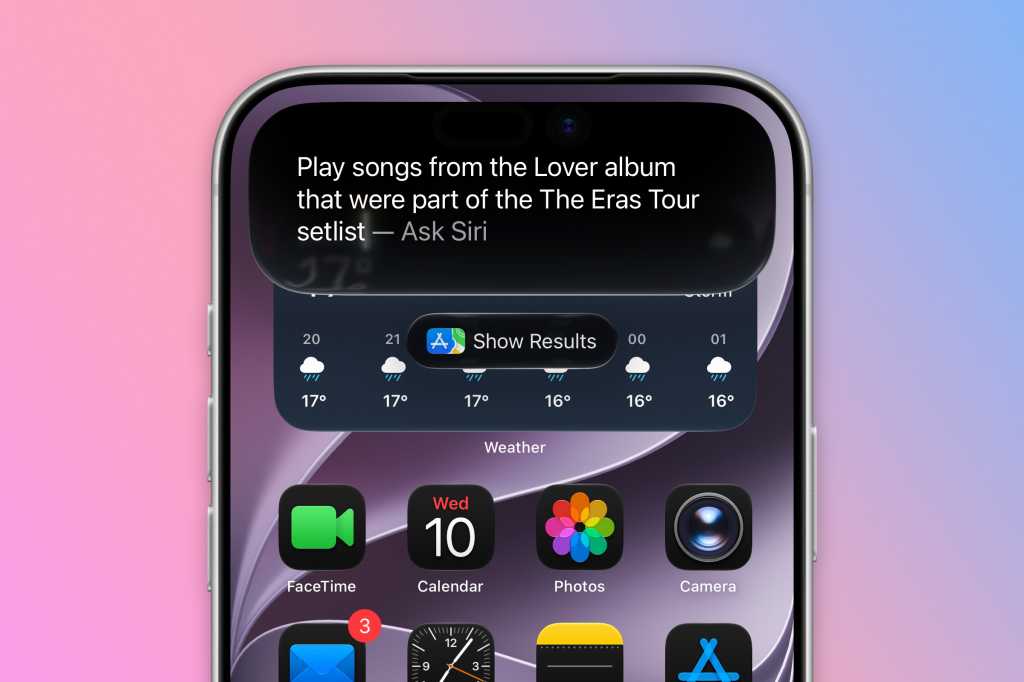
The headline change for the Camera app is Siri integration. Apple is calling it Siri Mode, and it’s designed to use Visual Intelligence so the phone can interpret what’s in front of you in real time. Point the camera at a sign, a plant, a menu, or a plate of food and Siri can identify what it sees, translate text, or even offer basic nutritional context.
That puts the iPhone closer to the kind of AI-assisted camera experience Apple has been hinting at for a while. The company has been careful to frame this as utility rather than spectacle, but the implication is clear: the Camera app is no longer just for taking pictures. It’s becoming an on-device guide, translator and search tool too.
Some earlier rumors about the Camera app didn’t come true at the keynote — at least not yet. The leaked ideas about widgets and deeper customization in the app didn’t appear on stage. Still, Apple has already spent the last year pushing the iPhone in a more flexible direction, from faster workflows and quiet fixes in iOS 26 to more AI-heavy system tools.
Spatial Reframing tries to fix the photo you almost got
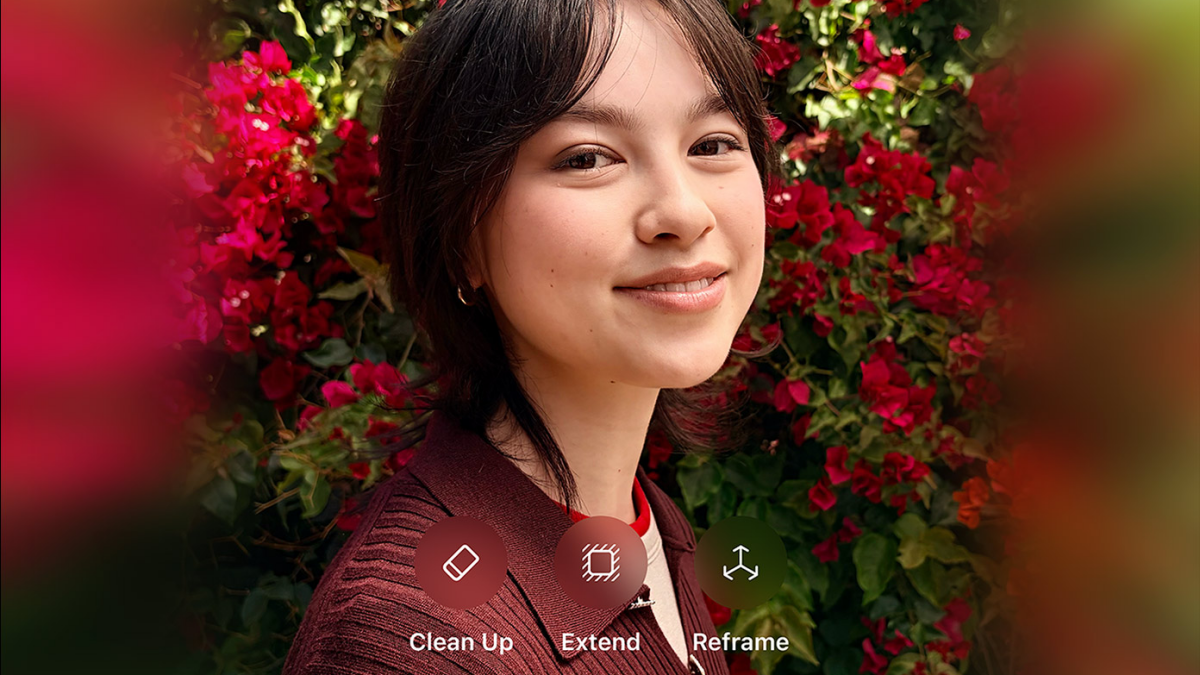
Spatial Reframing is the most interesting new editing trick in the bunch. It takes the idea behind Spatial Photos — which could give a flat image some depth and let you subtly shift your viewpoint — and stretches it into a more practical editing tool.
The pitch is simple enough: if you wish you had framed the shot a little differently, the iPhone can analyze the image, let you change the viewing angle after the fact, and generate the missing pieces of the scene. In Apple’s demo and early hands-on tests, that can mean revealing more of a background, moving the perspective, or nudging a subject slightly off-center without needing to manually clone pixels yourself.
The tool sits in Photos under editing tools. Once you launch it, the image gets scanned, then you can drag and pinch to adjust perspective, pan and rotate. Apple’s preview uses a softened, temporary fill while it figures out the scene, which is handy because the effect can get uncanny fast if you drag too far.
On a close portrait — say, a kitten shot — the result can be surprisingly good. The subject shifts a little, the missing background gets generated, and the final image looks convincing enough that most people probably wouldn’t notice unless they were really staring. In wider scenes, though, the cracks show more easily. A tourist photo of the Colosseum, for instance, can produce impressive background reconstruction on one side, while the faces and bodies in the foreground start to warp in a way that’s hard to unsee.
That’s the tension with this feature. The technology is clever, and for a first pass it’s genuinely impressive. But it also reveals how delicate human faces are in AI-generated edits. Apple is clearly trying to thread the needle between helpful correction and full-on image generation, and it does not always land on the photogenic side of that line.
Expand, clean up, and make it look more real
Spatial Reframing isn’t the only Photos upgrade. Apple is also adding an Extend tool that can add content beyond the edges of an image, plus an improved Clean Up feature with better-quality, more realistic infill.
That matters because these tools are starting to work together as a small editing suite rather than separate gimmicks. If Apple can make reframing, outpainting and object removal behave consistently, Photos could become a far more capable editor for everyday users — not just the person who wants to make an Instagram post look a little less awkward.
The company is also improving Image Playground, which debuted to mixed reactions and has often felt more like an interesting demo than a polished creative tool. In iOS 27, it can generate photorealistic images, handle multiple people from your library, and let you edit outputs by circling objects or typing plain-English changes. You can also choose different orientations, including wallpaper-sized output for the lock screen crowd.
That broader push fits Apple’s overall direction: AI should be built into the operating system in ways that are easy to reach without forcing users to learn a new workflow. That philosophy is showing up outside Photos too. The new AI-powered Shortcuts overhaul works the same way — tell the phone what you want, and let the system figure out the steps.
Useful, but still a little rough around the edges
Apple’s camera and photo-editing push in iOS 27 looks less like one splashy feature than a small stack of them, each aimed at a different kind of user. Siri Mode makes the camera smarter in the moment. Spatial Reframing tries to rescue imperfect compositions after the fact. Extend and Clean Up aim to make edits cleaner and more believable.
The caveat is obvious: these tools are still in developer beta, and Apple has months to refine them before release. That’s important, because the early results suggest a lot of promise and a fair amount of weirdness. The feature set is clever enough to feel meaningful, but also imperfect enough to remind you that Apple Intelligence still has a long way to go before it can replace a skilled human editor.
For now, the safest use case may be the least glamorous one. Keep the reframing gentle. Let Siri identify the flower, translate the menu, or explain the dish. And maybe don’t expect your most ambitious edits to survive close inspection. A slightly better photo? Absolutely. Vogue cover material? Not quite.