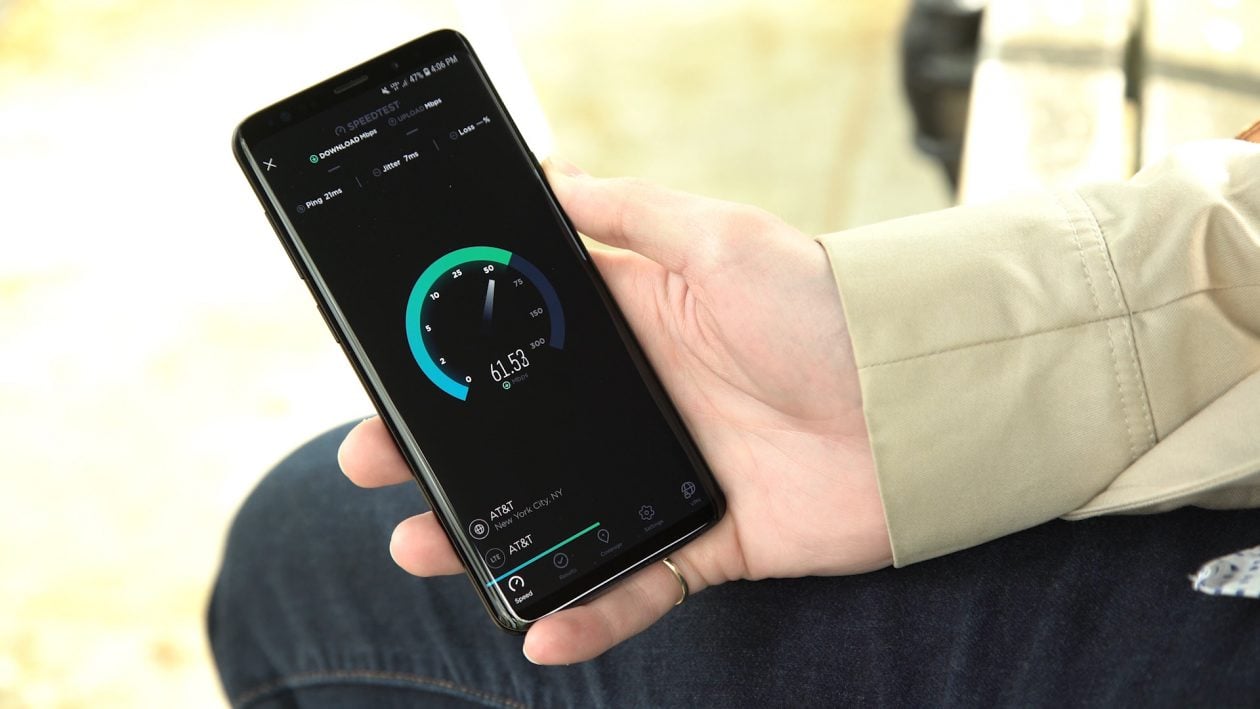
Samsung users have spent years watching other Android phones show live network speeds in the status bar and wondering when their turn would come. With One UI 9, that wait is finally ending — although, in classic Samsung fashion, the feature is arriving through Good Lock rather than as a plain-vanilla settings toggle.
The new option lives inside QuickStar, Samsung’s status-bar customization module, and it does exactly what the name suggests: it shows your current upload and download speeds right alongside the usual signal and battery icons. If your Wi‑Fi is crawling or a mobile connection is acting up, the meter gives you an immediate read on whether the problem is the network itself or something more specific, like a stubborn app or a bad server.
That may sound like a small tweak, but for people who care about the little things, it’s a genuinely handy one. A live speed indicator is one of those features you don’t think much about until you have it — and then you start checking it constantly. That’s especially true on Galaxy phones, where users have long had to rely on third-party apps, root-based workarounds, or awkward persistent notifications to get the same basic visibility.
Samsung’s approach is cleaner this time. Because QuickStar is part of the Good Lock customization suite, the feature feels more integrated than the usual app-store workaround, even if it still isn’t baked directly into One UI’s core settings. And Samsung isn’t stopping there. The updated module also adds a switch for the “ongoing activity” chip — the little live-status badge that can show things like calls, timers, voice recordings, and countdowns. If you find that chip more annoying than useful, you can now hide it.
The rollout is still limited for now. The One UI 9 beta is running on Galaxy S26 devices in select markets, with Samsung expected to expand support to more phones later. Stable release timing is still a moving target, but the feature is already a nice reminder that Samsung is quietly tightening up some of the small quality-of-life gaps that have lingered for years.
It also fits a broader pattern. Samsung has been steadily making its software feel more flexible, from status-bar controls to deeper customization in Quick Share and AirDrop-style sharing to usability tweaks like the company’s newer Lockdown Mode shortcut. The network speed meter isn’t flashy, but it’s the kind of change that makes a phone feel a little more personal — and a little less like it’s hiding useful information from you.
For Galaxy owners, that alone will probably be enough to make the status bar feel noticeably smarter.