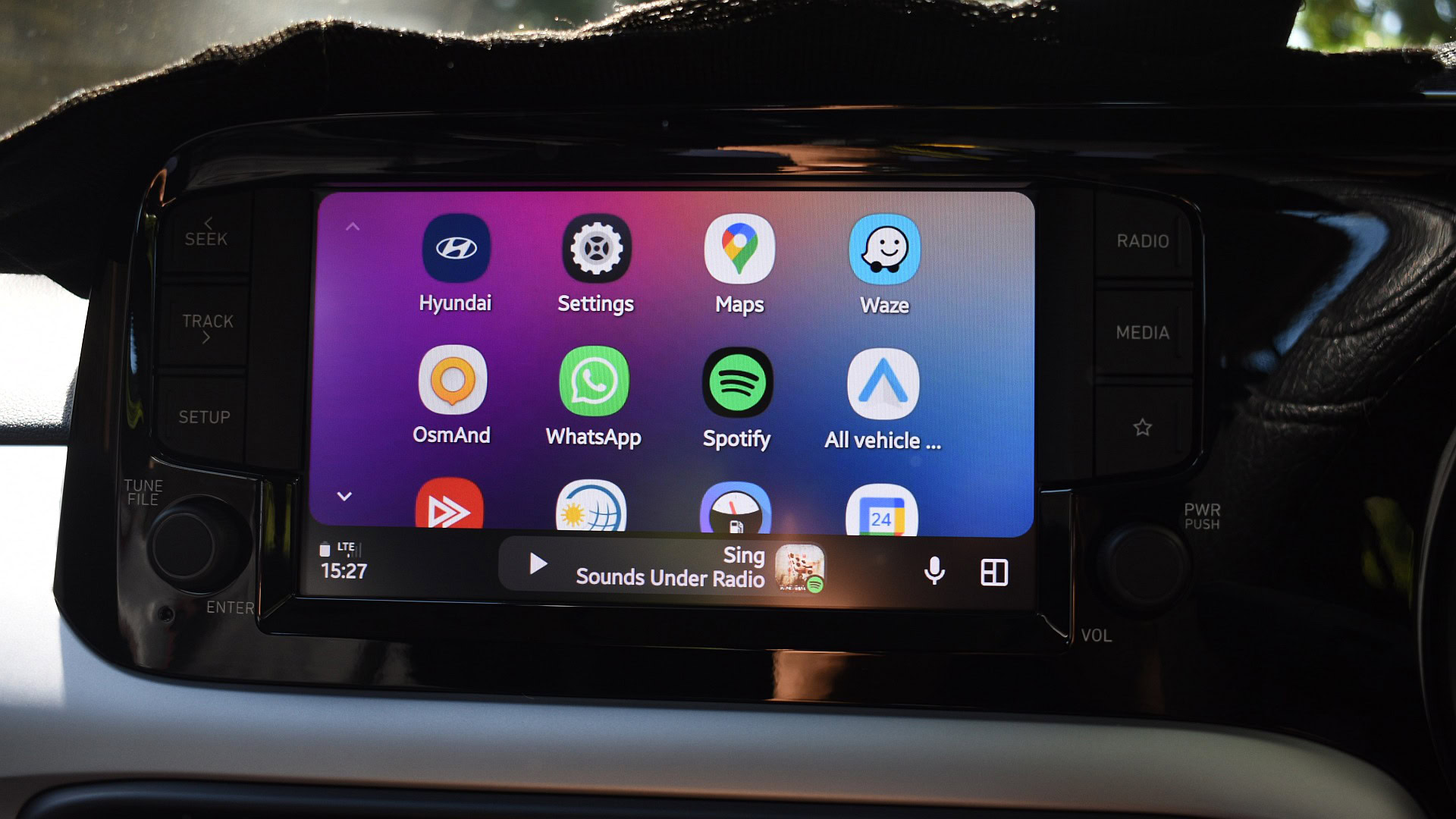
Google has quietly started letting people test Android Auto 17, but if you expected a flashy redesign with all the I/O demos onboard, pump the brakes. The build surfacing to beta testers is mostly a behind-the-scenes polish: useful groundwork for bigger changes later in 2026, not the full feature drop promised at Google I/O.
What’s in this beta (and what isn’t)
Installers and early testers report that Android Auto 17.0 brings stability work and plumbing for upcoming features rather than the headline acts. You won’t find in-car YouTube streaming or the fully baked widget experience in this beta — both of those remain reserved for later updates or require Android 17 on the host device.
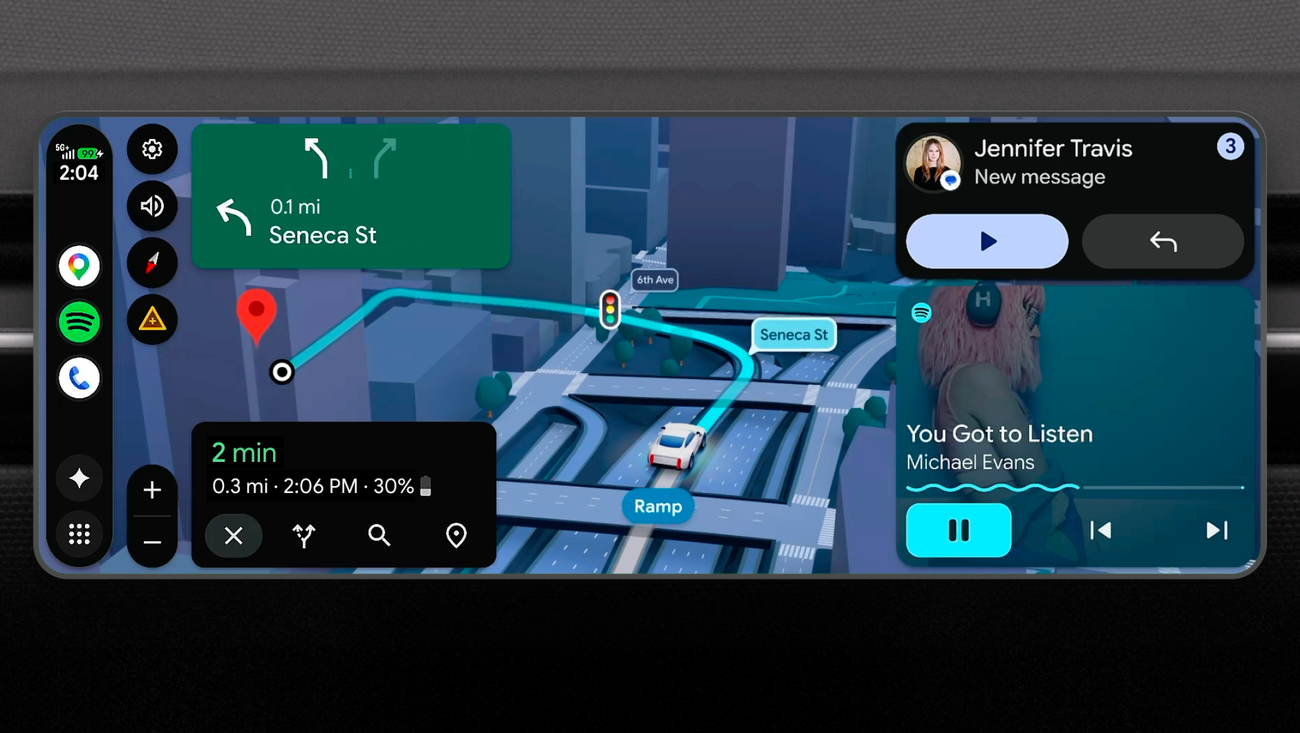
That matters because Google’s demonstrations at I/O showed a much wider vision: immersive navigation with 3D buildings and clearer cues, Android-style widgets on the dash, and deeper Gemini assistant tricks when the car is built with Google integrated. The demos impressed reviewers — immersive navigation and widgets were singled out as small but meaningful usability wins — but most of that excitement hasn’t landed in the 17.0 sideload yet. For broader context on Google’s planned changes, see the full Android Auto overhaul rundown.Android Auto’s big refresh turns your dash into a smarter, sleeker cockpit
One nuance: features behave differently depending on whether you’re using Android Auto from a phone or a car with Google built-in. Phones will get Material 3 Expressive styling and the standard feature set; cars with Google built-in may unlock deeper Gemini integrations that can adjust vehicle-specific settings or even describe camera views. Engadget’s demo of Gemini manipulating a Volvo’s sunroof and narrating a scene gives a taste of how tight that integration can be when manufacturers build it in.
How to try Android Auto 17 today
You have two practical paths: wait for the automatic rollout to stable users (Google often promotes betas within days if no major issues appear), or manually sideload the beta yourself.
Manual sideload basics (for people comfortable with ADB):
- Download the Android Debug Bridge (ADB) tools from Google’s developer site if you don’t already have them.
- Grab the appropriate Android Auto OTA images that correspond to the beta build.
- Boot your Pixel (or supported phone) into Recovery Mode and select "Apply update from ADB".
- Connect the phone to your PC and use the ADB sideload command to push the OTA.
If that sounds like too much, you can also opt in to the Android Auto beta via Google Play when Google opens the tester program — an easier route for most people.
A quick warning: beta software can be glitchy. Users who rely on Android Auto daily — especially for navigation and calling — may prefer to wait for the stable release.
Why some people should be cautious
Two practical reasons to sit tight: compatibility and bugs. Historically, ecosystem updates that touch car integrations can trip up specific phone models or head units. There have already been reports of Android Auto disconnects and a handful of Pixel and Galaxy S26 owners complaining about behavior after recent updates; if your phone or vehicle is mission-critical, treat betas as optional entertainment rather than essential tools. If you rely on Android Auto for HVAC controls, audio routing, or hands-free calls, the stable channel is safer for now. Read more about the recent update quirks affecting certain phones and head units Android Auto update is tripping up Galaxy S26 and Pixel phones — here's what's going on and community fixes like quick USB re-plugs that have temporarily helped some users Android Auto’s wobble: a one‑minute USB fix, a beta with HVAC clues, and why S26 owners are fed up.
The practical bits Google demonstrated — and why they matter
When fully rolled out, Google’s vision for Android Auto moves the platform from a phone-first UI to something that can feel native to the car: richer navigation with building geometry and clearer road elements, small glanceable widgets for weather or shortcuts, and a three-panel layout that can show multiple info cards simultaneously. Equally important is the split between phone-hosted Android Auto and car-hosted Google built-in: manufacturers that include Google natively can allow Gemini to reach deeper into car systems — think voice commands that alter vehicle settings rather than just change a song.
These changes aren’t just cosmetic. Better navigation cues could reduce last-second lane changes; widgets could surface frequently used info without hunting through menus; and vehicle-aware voice assistant actions could cut down on fiddling with the screen while driving. That’s a real safety and convenience argument — provided the features roll out carefully.
If you like poking at new software, the Android Auto 17 beta is available now for early adopters. If you want the full I/O vision — in-car Gemini control, Video apps when parked, and an expressive widget-filled dashboard — keep an eye on future updates. Google’s roadmap looks promising; this beta is the first, cautious step toward it.