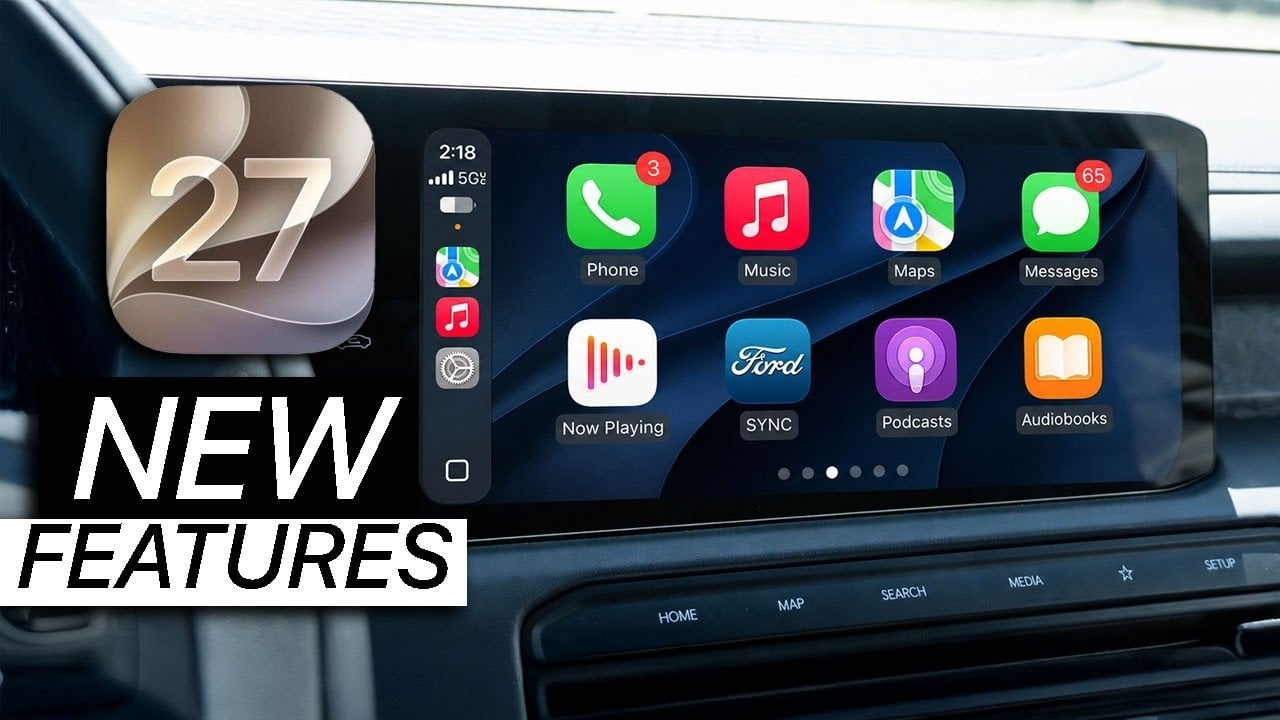
CarPlay is getting one of its most useful updates in years — and Apple barely shouted about it on stage.
While WWDC 2026 leaned hard into Siri AI and the wider Apple Intelligence push, the company also tucked a surprisingly broad CarPlay refresh into the iOS 27 developer notes. The changes aren’t flashy in the way a new interface overhaul can be, but they do fix a lot of the small frustrations that have made daily use a little clunkier than it should be.
At the center of the update is video support. Apple is opening the door for developers to build CarPlay apps that can browse and play video when a vehicle is parked. In practice, that means you could catch up on a show while waiting at an EV charger or sitting in the airport pickup lane — but only once the car is stationary. If the vehicle starts moving, CarPlay shifts back to audio-only mode automatically. Apple is also extending AirPlay-based video casting so supported iPhone apps can beam video to a compatible CarPlay display, again with the same parked-only guardrails.
That last part matters. Apple isn’t pretending cars have become tablets on wheels. The company is drawing a fairly clear line between convenience and distraction, and the fallback to audio-only is a smart one. It’s also a sign that Apple wants CarPlay to feel more integrated with the realities of modern driving — especially for EV owners who spend time parked more often than drivers of traditional gas cars.
Audio gets a long-overdue polish too. CarPlay is finally gaining audio scrubbing on the Now Playing screen, which means you can drag through a song, podcast or audiobook instead of tapping awkward skip buttons or holding them down. That’s one of those features you only notice after you’ve gone without it for far too long. The new Audio MiniPlayer adds another layer of convenience, keeping play, pause and skip controls visible even when maps are taking over the main display. For anyone who lives in navigation mode, that’s a quietly excellent upgrade.
Apple is also broadening the way CarPlay talks to the car itself. In Android Auto’s ongoing dashboard evolution, Google has pushed toward more contextual controls and richer widgets; Apple’s version is a little different, but the direction is familiar. On iOS 27, navigation apps and the host vehicle will be able to exchange route data and waypoints. In an EV, that could mean a map app sends a route to the car, the car checks range and charging availability, and then sends back a recommended stop with an ETA for charging. It’s a cleaner handoff than the old “hope the app figures it out” routine.
That exchange is also designed with privacy in mind. Apple says whether route or location data flows one way, both ways or not at all will depend on the developer, the automaker and the driver’s settings. In other words, the system is built to be useful without forcing everyone into the same data-sharing model.
Siri, naturally, is part of the package. The upgraded assistant is coming to CarPlay with the same more conversational, context-aware behavior Apple is promising across iPhone, iPad and Mac. In the car, that should make messages, navigation and general requests feel less like barking commands at a speaker and more like talking to something that actually understands the thread of a conversation. Apple Maps is also getting natural-language search tied into the new Siri experience, so in theory you’ll be able to ask for directions to “that sushi place Nicole mentioned last week” and let Siri pull the right place from your messages, emails or notes.
That broader intelligence push is one reason Apple’s iOS 27 stability reset feels more interesting than a simple version bump. CarPlay is clearly benefiting from the same effort to make Apple’s software feel less mechanical and more contextual.
Visually, Apple is leaning into the “liquid glass” look introduced elsewhere in iOS 27. CarPlay gets refreshed wallpapers, redesigned app icons and smoother transitions, plus a new appearance for key Apple apps like Music, Podcasts and Maps. Third-party apps are beginning to follow suit as well, which should make the whole dashboard feel less stitched together.
There are smaller but welcome fixes in the mix too. Wireless CarPlay reliability is improving, GPS heading accuracy should be better at the start of navigation, and developers are getting new tools in Xcode 27 to test CarPlay layouts without needing a garage full of vehicles. Apple is also adding support for Live Activities and widgets from more apps, so things like sports scores or other live updates can appear on the CarPlay screen without forcing you to open the app directly.
If all of that sounds incremental, it is. But it’s the useful kind of incremental — the sort that makes a platform feel more finished rather than merely more complicated. For drivers who use CarPlay every day, iOS 27 looks less like a headline-grabbing reinvention and more like a pile of sensible fixes that should make the whole system smoother, smarter and less annoying.
Apple has already seeded the developer beta, with a public beta expected later in the summer and a full release likely arriving in the fall.