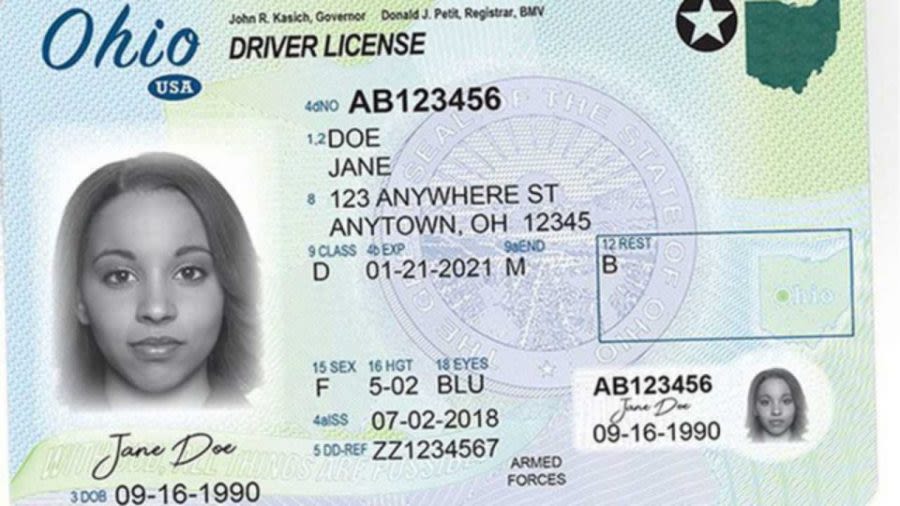
Ohioans with Android phones can now tuck their driver’s license or state ID into Google Wallet, marking the state’s latest step toward digital identity — with a very familiar caveat: don’t ditch the plastic card just yet.
The Ohio Bureau of Motor Vehicles announced Monday that Ohio Mobile ID is rolling out to Google Wallet, expanding a program that first arrived on Apple Wallet a little over two years ago. The move gives Android users a way to store a digital version of their Ohio ID or driver’s license and present it in supported situations, from age checks at some businesses to identity verification in certain state buildings, at Ohio casinos and at TSA checkpoints nationwide.
Gov. Mike DeWine framed the update as part of a broader effort to make BMV services less of a chore. “Ohio is proud to announce this latest innovation that simplifies access to BMV services,” he said in a statement, calling the Google Wallet launch the newest addition to a run of features meant to save time for residents.
Charlie Norman, registrar of the Ohio BMV, said the state had been hearing a steady request from Android users. That demand is part of the story here. Apple users have had access for a while, but Ohio’s mobile ID program was missing a piece of the puzzle for everyone else. Now it’s more or less complete.
The setup is straightforward, though not instant. Users open Google Wallet, tap to add an ID card, choose Ohio, then go through verification steps that include photos of the front and back of the physical card and a short video selfie. The state reviews the submission before the ID becomes available. The process is designed to protect privacy, and the BMV says the credential is encrypted and secured with personal authentication.
That privacy angle matters because a digital ID isn’t the same thing as waving a full plastic license around. Google Wallet’s version lets users see exactly what information is being shared before handing anything over, and the system works more like tap-to-pay than a classic ID check. A reader has to be built to decrypt and validate the credential, which is why it only works in places that have the right equipment.
If this sounds a little like the way phones slowly replaced wallets for payments, that’s no accident. Digital identity is following a similar path, one reader at a time. And like other mobile credentials, the Ohio ID can be stored only on one device, removed at any time, and deleted remotely if a phone is lost or stolen. Google says the pass does not sync to the cloud.
The state still wants people to carry the physical card. That warning is doing a lot of work here. The mobile version is a companion, not a full replacement, and not every business or venue can accept it yet. Still, the list of places that do is growing, and so is the sense that this is becoming normal rather than experimental.
Ohio is hardly alone in pushing that direction. Google Wallet has been steadily adding state IDs, and the company has also been expanding how Android phones handle everyday identity tasks. In that broader context, Ohio’s rollout feels like one more brick in a wall that’s going up piece by piece. If you’ve followed how Android has been adding more wallet features and sharing tools over time, this fits the same pattern of phones taking on jobs that used to require a physical card or slip of paper — much like some of the convenience-focused changes in Google Play’s buy-once and sync efforts or the growing push toward simpler, phone-first tools across Android.
For Ohio residents, the practical appeal is pretty simple: less rummaging through pockets, fewer chances to forget your ID at home, and one more way to keep important documents in a place you already check dozens of times a day. For the BMV, it’s a chance to show that a state agency can move at the speed of the smartphone era without pretending security is an afterthought.
The rollout may not feel dramatic in the moment. But that’s often how these changes arrive — quietly, in the background, until suddenly a digital license feels less like a novelty and more like the thing people expected all along.
Android users who want to add their Ohio ID can do so through Google Wallet by opening the app, selecting the ID card option, choosing Ohio and following the verification prompts. Apple Wallet support remains available as well.